DraftSight may occasionally experience display issues that make working with drawings difficult or even impossible.
This behavior can sometimes occur after a Windows update.
Symptoms
You may encounter one or more of the following symptoms:
- Unusable graphics area.
- Distorted or stretched interface.
- Drawings do not display correctly or fail to display at all.
Workaround
- Open DraftSight.
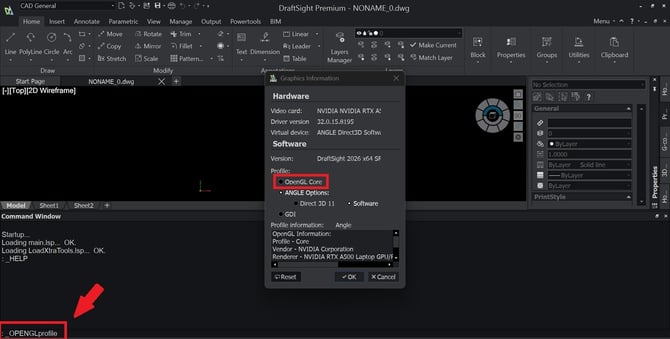
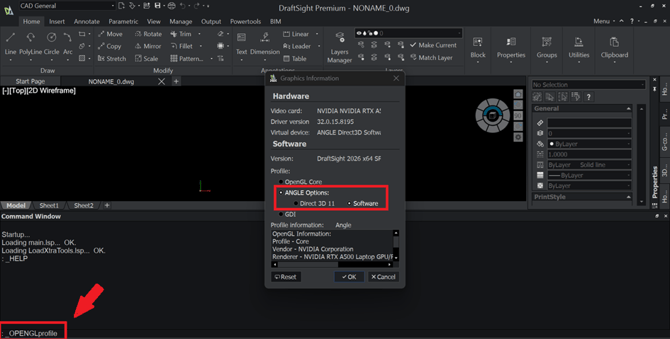
- In the Command window, enter : _OPENGLprofile.
- Under Software, select : ANGLE Options > Software.
- Click OK.
- Restart DraftSight to apply the changes.
This procedure is only a temporary workaround and may not resolve the issue in all environments.
If the problem persists, it is recommended to restore the original graphics configuration by selecting OPENGL Core.