
Symptom :
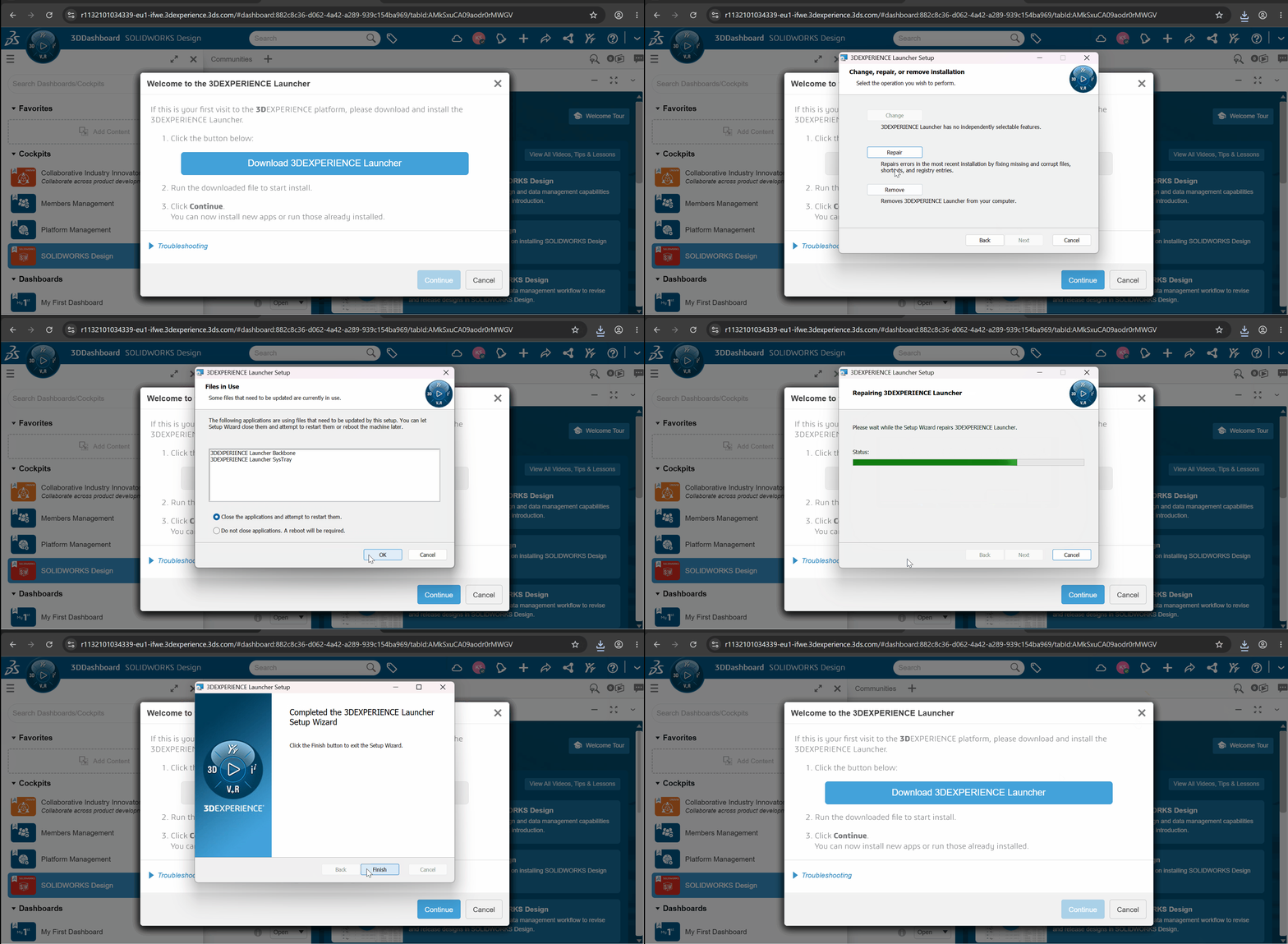
Problem :
When installing SOLIDWORKS Design from 3DEXPERIENCE, the platform may fail to recognize the Launcher installation.
Since 2026, specific permissions are required to allow desktop applications to launch.
-> This issue is generally related to browser permissions (Google Chrome / Microsoft Edge).
Resolution : Allow Google Chrome / Microsoft Edge to access the Network
A/ Quick method
-
Open your 3DEXPERIENCE page in Google Chrome / Microsoft Edge.
-
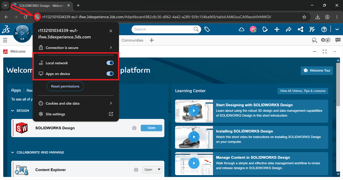
Click on the site settings icon (left of the URL).
-
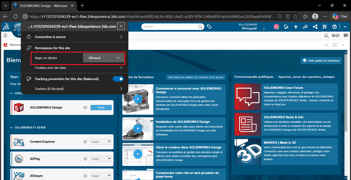
Enable the permission : Apps on device.
B/ Method via Browser Settings
-
Open Site settings / Permissions for this site
-
Go to : Privacy and Security / Privacy, search and services
-
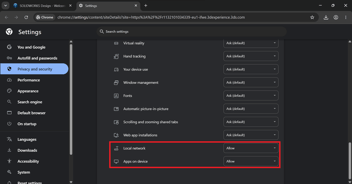
Scroll to the bottom of the page
-
Enable the options :
-
-
Local network
-
Apps on device
-
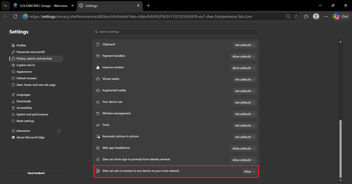
-
These permissions apply only to the 3DEXPERIENCE site.
- They do not affect the global behavior of your browser.
- The previous setting Local network alone may no longer be sufficient.
- It is now recommended to also enable : Apps on device.
The second method (via Site Settings / Site Permissions) ensures that all required permissions are properly enabled.