
Issue :
When opening an assembly from 3DEXPERIENCE, missing local references may be searched by the system.
This can happen when :
- The original files were not migrated from the local cache.
- Thes local files were later deleted.
- The machine that performed the first save is trying to access paths that no longer exist.
Solution 1 : Clear the local cache
Prerequisite : Save all files before performing this action
A/ Method via the 3DEXPERIENCE task pane
- Open the task pane.
- Open the 3DEXPERIENCE files on this PC tab.
- Click on Refresh view.
- Select all the files.
- Click on Delete from this PC.
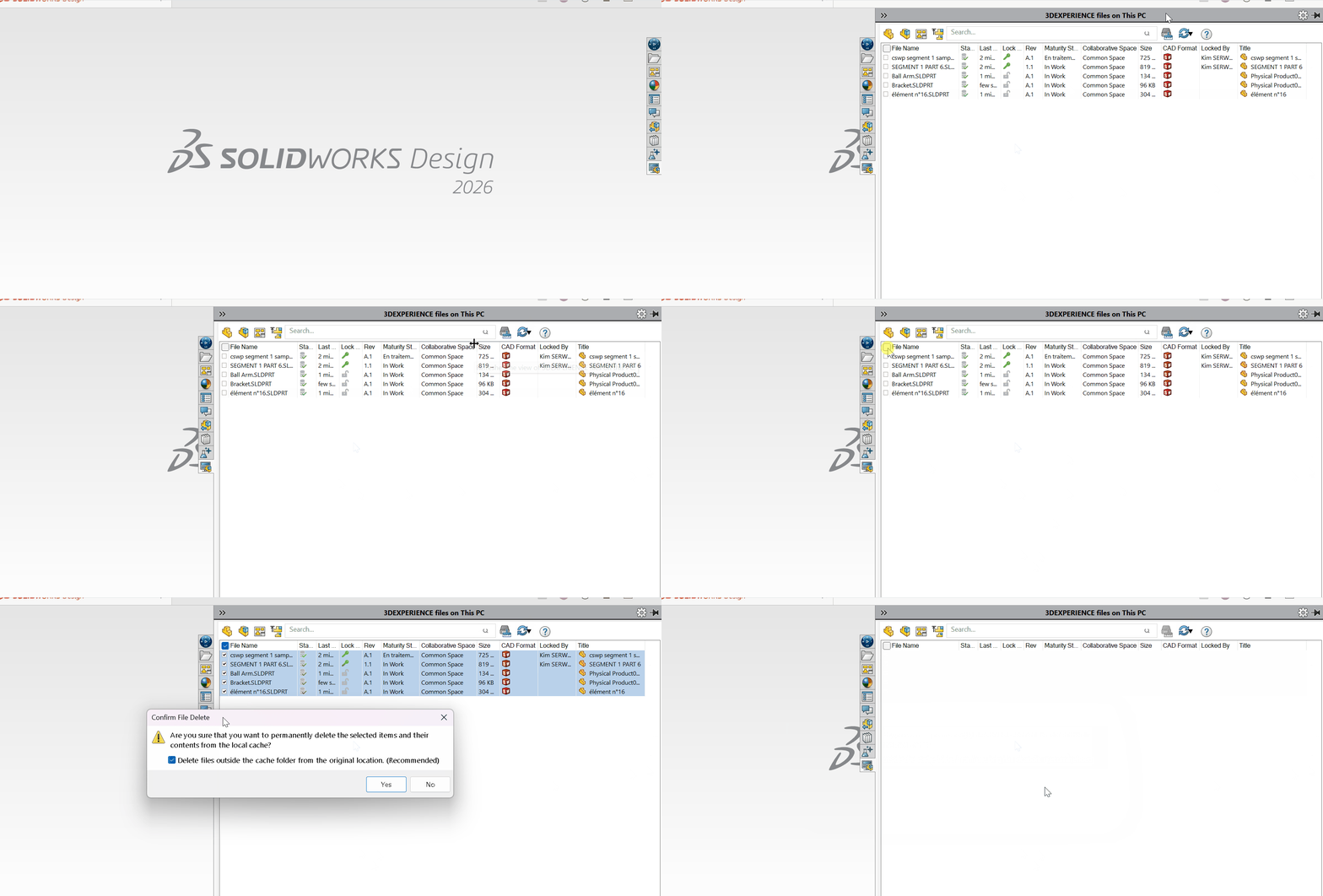
Warning
Make sure to uncheck this option:
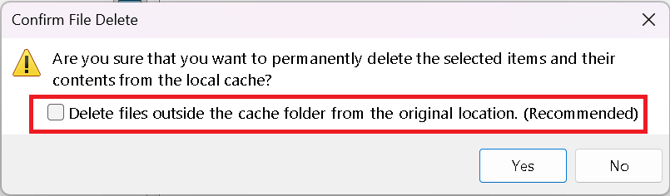
This ensures that only the local cache is cleared to fix issues, while preserving your work stored in external folders.
B/ Manual method
1.Go to the local cache folder :
'C:\3DEXPERIENCE\tenant ID (username)'
How to find your tenant ID :
- Log in to 3DEXPERIENCE
- Identify the ID starting with r********** (for Desktop accounts) or o********** (for Online accounts) in the URL

2. Delete all files (included the Remote Files subfolder)
-> Reopen the assembly from 3DEXPERIENCE
The cache may be relocated. In this case, look under :
%localappdata% > DassaultSystemes > 3DEXPERIENCE > R*********(username)
Report this problem!
a. Problem solved? Let us know so that we can prevent it from happening again!
b. Still not working? Contact us too!
Contact : support@ohmycad.com